 You don't need to be an 'investor' to invest in Singletrack: 6 days left: 95% of target - Find out more
I have no tool "buttons" visible when posting.
I have an adblocker but I disable it for this site, so it's not that.
Any ideas?
Free members don't get to quote.
It's broken. I reported it days ago.
Dark theme if that makes any difference. Try the light one?
It's embrokenised for me too, regardless of theme. And I ain't no freeloader
It was working for me 10 minutes ago, but now it's gone again.
I have no tool “buttons” visible when posting.
I've never had a problem finding the button.
Mine disappeared for days on both Android and Windows, but I went into preferences and enabled the fancy editor and they came back.
On my phone I'm faced with black text on a black background when the quote is used so I'm happy to see the back of it.
IT'S BACK!!!!
@onewheelgood - That worked for me as well. Thanks.
Broken for me - where is the setting to turn on the fancy editor?
Click the person icon at top right, choose My Account, then Preferences.
Don't forget to scroll down to find the fancy editor tick box, I nearly missed it.
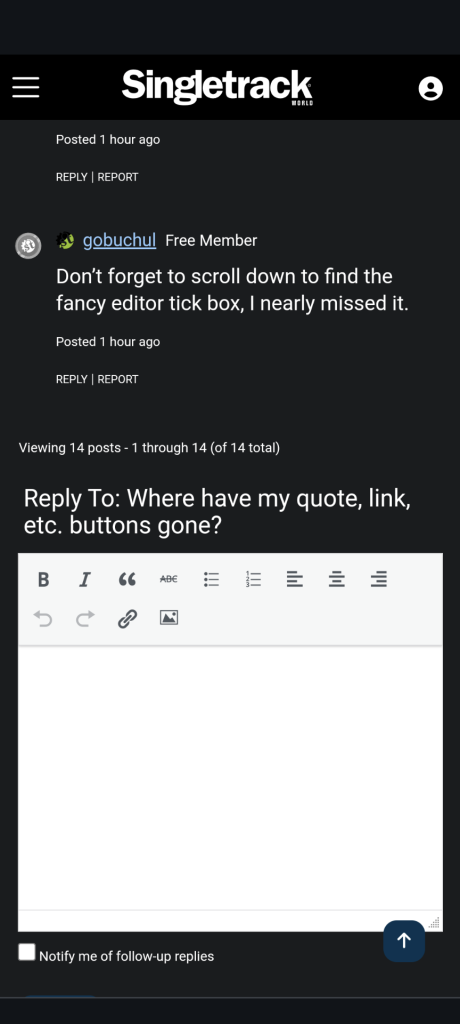
Can we have the other editor back please? The one where you can see and control your markup to avoid random unreadable formatting?
There should be a choice really ......."fancy editor" or "no nonsense editor".
I went into preferences and enabled the fancy editor and they came back.
Hurrah
Don’t forget though that disabling the fancy editor is the fix for other broken stuff.
Yeah. The "fancy" editor is the one that pukes random HTML markup all over the place when you copy & paste (unless it's been fixed since I last looked, it seemed to work on this post just now).