 You don't need to be an 'investor' to invest in Singletrack: 6 days left: 95% of target - Find out more
I have decided that my precious office worker wrists and hands deserve an upgrade so would like to buy a “posh” mouse.
Was thinking (something like) the Logitech MX Master 3, but open to ideas.
Use is standard desk jockey stuff, spreadsheets, PowerPoints, usual stuff. Bluetooth and Microsoft compatible is a given.
No advice as such but a few years ago I kept getting a damp hand using my work mouse and put it down to sweating on my palm so kept looking for a replacement that had a more breathable finish. Turns out the batteries were leaking and I had been getting the acid on my hand for weeks.
Anyway sorry I can't be of much more help.
If you are upgrading for comfort, I think it's a bit like saddles, and it's more important to find something that suits you, rather than how "posh" the mouse is. The last mouse I bought was a Tecknet ergonomic angled mouse, which I find much more comfortable to use than a conventional horizontal mouse:
Under £20, so not an expensive gamble if it doesn't suit you.
I upgraded from a cheap mini wireless mouse to an mx master because I wanted some of the features. Now I don’t like using anything else as I’ve got very used to the ergonomics and a flat mouse feels uncomfortable. Hardly use the features other than the side scroll wheel.
After a recommendation on here. I got an Mx anywhere 2. Very happy with it. Being able to scroll left and right from the scroll wheel is nice and disabling the click on the scroll wheel giving silent scrolling.
I use an MX Master - it’s very good and I’d reccomend it. Decent size. Horizontal as well as vertical scroll wheels and the vertical scroll wheel has significant weight to it and you can “spin” it which is great for navigating large documents. Also pairs with 3 devices so you can use one mouse for a few computers
I’ve a 2s and a 3 - they’re trivially dofferent although the scroll wheel on the 3 is a bit better. A colleague has a 3s - almost identical to the 3 so don’t be afraid of getting an “older” model on discount.
Logitech MX Master 3
I have this mouse and it's expensive, but it's fantastic.
The shape works for me, the scroll wheel is amazing and the horizontal scroll is fantastic. I set it to change tabs in Chrome, scroll horizontally on a spreadsheet and do other app specific tasks for PowerPoint, CAD and dedicated mute and camera toggle in Zoom, etc.
Very happy with it. Apart from the price. But it's worth it.
The s suffix version has a soft click if noise matters to you.
Another vote for MX Master 3 here.
Came on to say "mx master". Way better than any other mouse I've used. I switch between that and my Apple trackpad depending on my mood but it's in a different league to any other mouse I've used.
Saw something that suggested the latest generation have an issue with the coating disintegrating/going weird so may actually be an argument for looking for an older one.
I’ve got Logitech MX ergo. Love it.
Logitech MX Master, awesome but do consider your work stipulations around unsupported software. My particular very VERY picky employer wont allow installation of the logitech software so I have to launch a portable app every day and it's not as good. Just something to consider but every other employer hasn't had an issue!
How much do you need the Logitech software though?
How much do you need the Logitech software though?
I'd guess not really, but it depends...A problem for companies is that often you can't just install the functional mouse drivers to make the buttons work, you have to install an entire 'suite' of bollocks for rgb lights, mappable keys, etc, so it does present a security risk in a cooperate environment.
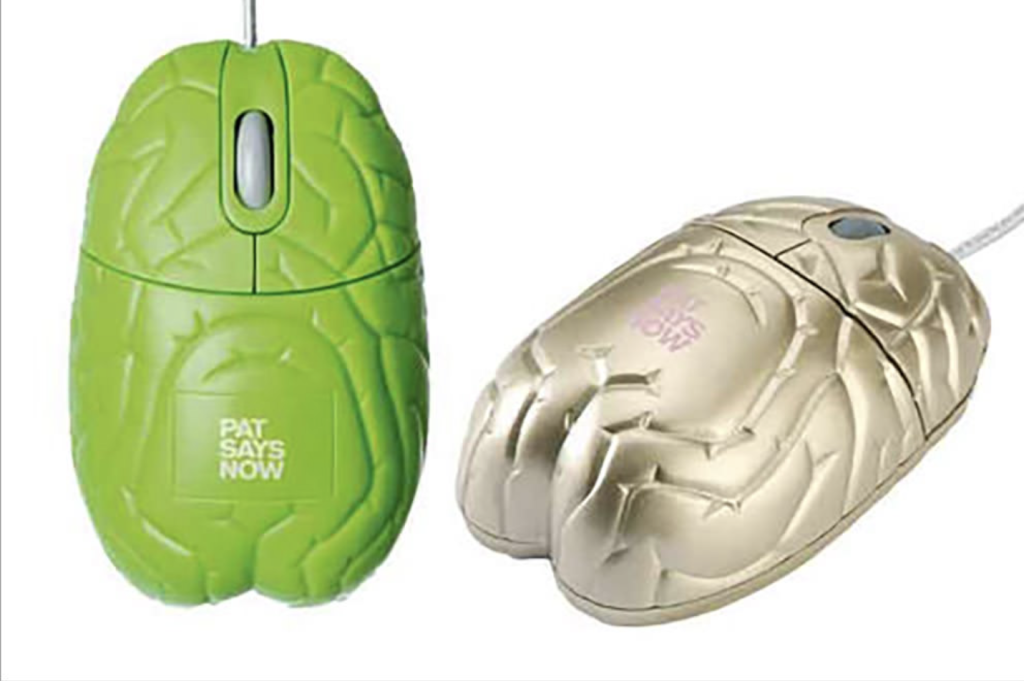
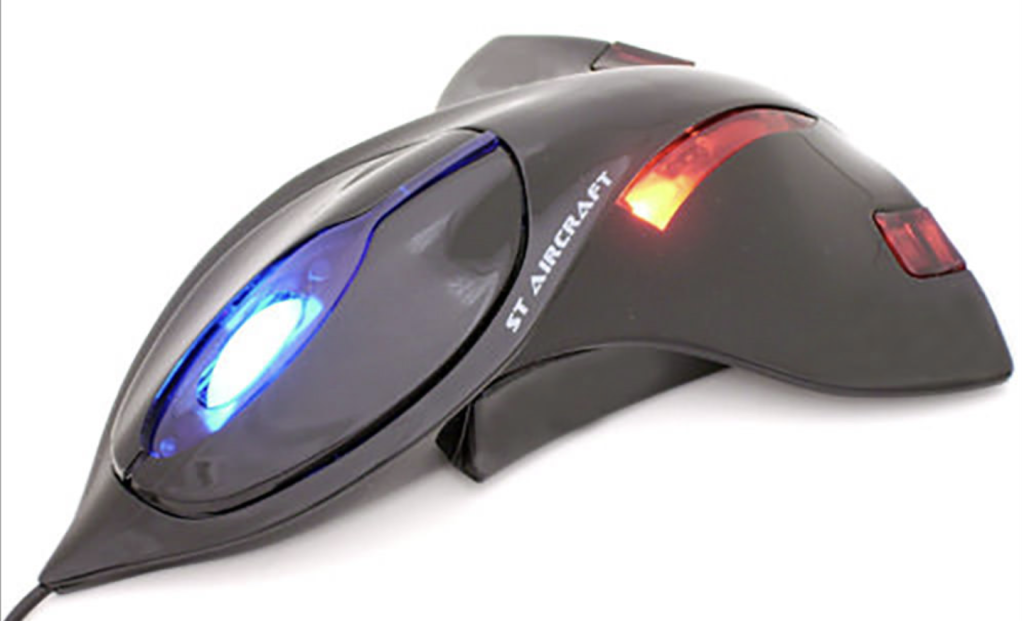
I just went off to do some googling just for lolz. What is it about mice that evoke some mad designs?
The brain mouse.
Now, that might be it's name but it reminds me of another part of the anatomy... The fact "Pat Says Now" just adds to the mystery!
Then there is this one, which has to be a complete nightmare to use! Lol Id love to see someone take it into an office though.
How much do you need the Logitech software though?
I suspect without the Logi software you'd not be able to customise the extra button functions and some of them might not work at all.
However, you'd still have a very comfortable mouse with the best scroll wheel I've ever used. I'd still pick it.