 You don't need to be an 'investor' to invest in Singletrack: 6 days left: 95% of target - Find out more
My desktop is getting a bit clunky (although it seems to have done an update and is currently running better than it has done for the last 6months) and I’m considering going back to a laptop and giving a MacBook a try.
Firstly I presume a MacBook Air with 8Gb RAM will do everything I need? Which is mostly just playing with photos & internet browsing. I won’t be using it for work.
And go for the M1 as that will be supported for longer than the older Intel based ones?
Will my current HDMI monitor play nice using a display port adapter?
Now this is the bit I’m not sure about…
My Windows computer currently has a system drive plus 2 x SSDs which we save everything on, it’s set up so we use one each. These are synced to One Drive.
Now if I change to a MacBook I can plug these drives in via USB when at home on the desk but obviously it won’t always be there. If I set it up to Sync with One Drive (or I’m happy to move to iCloud) will it deal with these 2 drives being plugged / unplugged or will it get upset?
I hope that makes sense, and that someone knows the answer!
Cheers
What are you doing on your desktop? M1is four years old and 8gb isn't much ram (and can't be upgraded)...
Will my current HDMI monitor play nice using a display port adapter?
Is use something like this and it works fine for hdmi out (mine is a Satechi one though and more spendy).
[img]  [/img]
Not sure what you are trying to do with the drives. But plugging external drives in is no problem - I back-up to two drives on rotation using Time Machine.
OneDrive can just be added to your desktop as a folder and just chuck stuff in in the normal way.
Pay for at least 16GB of RAM and the newest chip that you can afford. The smaller RAM capacity is not enough if you run office for any length of time.
USB-c to HDMI cables are great for running external displays and pay for a hub to increase the number of ports available to you.

I have two M1, 8Gb Macbook Air's sitting on my desk ready to be wiped and sold after their owners got shiny new Macbook Pros to replace them.
Great little machines, 8Gb versions ran everything we needed in the office (office/adobe/dropbox etc) without a wheeze. The only reason we've upgraded is so our guys can use 2 x external monitors. Frustratingly (understatement), 14" Pro is the lowest spec laptop Apple make now that supports 2 x external displays.
Wouldn't hesitate to recommend an M1 Air for most duties if a single ext. screen is all you need.
We use these hubs - https://www.amazon.co.uk/gp/product/B089D466LR/
HDMI, keyboard and USB time machine backup drive hooked in at all times. Pretty solid setup.
i got a m2 air for £899 about a year ago, VERY catalog shop often do 20% apple codes. and i signed upto credit agrement buy now pay later, then paid it of next day :0)
i like it, runs windows well,
the m1 processor is getting really old now i think
just wish it had a back space delete button
Firstly I presume a MacBook Air with 8Gb RAM will do everything I need? Which is mostly just playing with photos & internet browsing. I won’t be using it for work.
M1 MacBook Air with 8gb will be more than fine for that.
I've had one for a couple of years and it happily runs music recording software with 8+ live recording channels and multiple vsts, etc.
Lightyears faster than the 2013 i7 iMac (with 16GB ram) it replaced.
So on the M1/M2 discussion, I have an personal M1 MBP, and a work M2 MBP.
When in actual use it is dificult to tell the difference between the two. The use cases where the performance difference really shows are rare. I think the main difference is 1 vs 2 external monitors!
Lightyears faster than the 2013 i7 iMac (with 16GB ram) it replaced.
Still what I'm using and amazingly on it's original battery!
But is a bit slow...
Frustratingly (understatement), 14″ Pro is the lowest spec laptop Apple make now that supports 2 x external displays.
Just been looking into this and this does seem quite a frustrating limitation....
About four months ago I moved from a Windows laptop to a Macbook Pro and, whilst I love the hardware, I have been a bit underwhelmed by the Mac experience. Some things - e.g. Finder - seem clunky compared to Windows equivalents.
Also there are not always decent free equivalents to programs like Notepad++ and Putty that I used on Windows. Not hating it but, if I could go back, I would probably have preferred an equivalently priced Windows laptop.
I have an M1 Studio with 64Gb which massively outperforms my M2 Mini with 8Gb when I throw anything complicated at it, so that's possibly something to bear in mind! (The 8Gb Mini is perfectly fine for "normal" office/web/etc tasks though)When in actual use it is dificult to tell the difference between the two. The use cases where the performance difference really shows are rare. I think the main difference is 1 vs 2 external monitors!
there are bodgy workarounds for this, involving 3rd party drivers & hubs, but a) not tried this personally so couldn't comment on the video quality or any lag with the 2nd display and b) crucially, is not guaranteed to work forever with future OS updates!Frustratingly (understatement), 14″ Pro is the lowest spec laptop Apple make now that supports 2 x external displays.
there is a port of Putty for Mac? Or use Cyberduck, that is free also. Or just grow up and learn to use the CLI 😉Also there are not always decent free equivalents to programs like Notepad++ and Putty that I used on Windows.
Visual Studio Code is free, pretty lightweight, and approx. 7 million times better than Notepad++
Not sure what you are trying to do with the drives. But plugging external drives in is no problem – I back-up to two drives on rotation using Time Machine.
I’m not sure how well I explained it and I think it might be an issue with trying to use a laptop as a desktop.
So currently the “My Documents” folder for each user on the desktop is saved on its own SSD, not an issue in a desktop that supports 3 plus drives, they never get unplugged obviously. The My Documents folders are inside the One Drive folder so everything is also in One Drive and available anywhere in the world. This also serves as a “backup”.
On a laptop I could do the same if it permanently lived on a desk, but when it’s away from the desk and the drives are unplugged it won’t find the folders, which presumably will cause it a problem.
I’m probably over thinking/over complicating things…
Cheers for comments, in reply to some, 1 monitor is fine, no idea what Putty or Notepad++ are so I won’t miss them, it really will just be used for basic stuff, nothing demanding.
If nothing demanding and no games (M3 has much better GPU) then M1 is probably fine. I would still go for 16GB.
How big are the external drives? Why not just buy the MBP that has a large enough capacity drive to hold the contents of both external drives? You can still sync them with OneDrive.
Or, make OneDrive the primary store and use the external drives for occasional sync to provide a backup.
@Cletus why on earth would you want to use Putty on a Unix machine? Putty is a terminal emulator and SSH client, all unix machines have that natively.
missus has an M1 8gb air - not seen it struggle with any thing she does (office, TEAMs, video editing, 649,000 browsing tabs open and a desktop that looks like a war zone)
649,000 browsing tabs open and a desktop that looks like a war zone
My wife is the same, it just drives me insane looking at it....
I got an 8GB M1 MacBook Air last year. I'm a photographer and use it mostly for editing live sport during games using a combination of Photomechanic and Adobe Camera Raw, it's absolutely fine and really quick. Colleagues have said it can get a bit laggy and hot if batch processing huge amounts of RAW files but for general photo usage it's great, it's also much quicker than my mate's pre M1 16GB MacBook Pro and handles RAW files really well, IMO.
For what you want to use it for it'll be absolutely great. I went for it as I needed a laptop that day as my old PC had died, it was a three week wait at Apple to get anything apart from the 8GB one in store as they had to spec to order for 16GB, I'm very happy with it.
Apple also gave me a 10% discount when I asked if they could do anything to match John Lewis's price which was £899 at the time, it was £1000 at Apple, JL only had a rose gold one and that wasn't going to happen so worked out well.
8Gb absolutely fine on M1/M2. My M2 Air is way faster than my old Intel MacBook Pro with 16Gb.
Yeah M anything is massively better than Intel in every way. I actually bought a couple of M1 MacBooks recently from CostCo, they have decent prices across the board & the occasional random belting offer!! Worth setting up an alert @ HUKD if not in a massive hurry. Amazon have also had some very good prices lately.
I think you might be double handling here. Just run everything in OneDrive. It syncs locally to your machine when you are on wifi. When you aren’t you can just use it as a local desktop folder, and updates sync when you reconnect. You can specify which folders you do/don’t want to sync or run locally. I work like this every day (on an absolutely faultless M2 air (16Gb/512 Gb)).
How big are the external drives? Why not just buy the MBP that has a large enough capacity drive to hold the contents of both external drives? You can still sync them with OneDrive.
They’re both 500GB but probably only half full each.
Because Apple charge a lot for more storage.
I suppose I could keep the desktop and run it occasionally to basically download anything in OneDrive to itself to keep the local files up to date.
I don’t want to rely solely on cloud, I’d rather keep my own files locally as well. (Admittedly it needs a clear out so there is more than necessary but it’s mostly photos that I want to keep).
OK so trying to use a Macbook to do what I want might be a bad idea... What about if I was to use a Mac Mini to replace the desktop? Will that handle having two drives plugged in and play nice with iCloud or One Drive? I've found some references that say it won't work with iCloud, which seems crazy. But I actually don't know if my Windows computer would work with One Drive if I was using USB drives instead of them being internal.
Why would using a Mini be any different to using a MacBook?
Because I wouldn’t ever move it from sitting on the desk so the extra drives would be permanently plugged in 👍
If it’ll never move then a mini will be cheaper for the same experience and performance.
Pay for at least 16GB of RAM and the newest chip that you can afford. The smaller RAM capacity is not enough if you run office for any length of time.
I don't get these claims. 8Gb seems absurd, but clearly Apple know what they're doing - I'm on a m1 iMac with 8gb of memory and it runs fine for everything I do with it. Difference between the M1 and M2 is pretty small as well.
I'm really interested in this thread. I have a 2019 Air, 8Gb memory and 125Gb of storage. I don't do anything fancy, don't have any apps beyond standard office stuff. Photos are stored on iCloud but I only have 7gb of storage left and it runs painfully slow. Things will often take minutes to open, or not open at all. I don't have anything stored locally on the laptop.
I was looking at replacing it but there must be an easy way of cleaning up what I have.
and how can Mail be using 6gb of storage when I don't even use Mail? I use Outlook. I've opened Mail and I don't have a single item in any folder?
The Mac version of office has a memory leak. Over the course of 3 or 4 hours use both Excel and/or Word will fill it and then the machine will fall over with an out of memory error (usually at the point you're about to save and the work gets lost). I manage a small fleet of 8GB equipped minis that do this with dreary monotony, TBF it has got better on the most recent machines and OS but it still happens.
@franksinatra is experiencing exactly this. You voluntarily us Outlook at home? We don't touch it at work, there's am air of Apple "I know best" about it! (Irony much?).
@b33k34 The 8GB version is there to hit a market sectorand price point, not necessarily good for the tasks though and to encourage buyers to buy more memory.
I use my M1 air base model and have it hooked up to 2 screens using display port software and a dell hub.
It’s about 2 years old and works really well.
Starts instantly and battery life is amazing
@sandwich I just don’t buy that argument. Most machines they sell are going to be the standard spec (and everything they sell out of retail stores from stock).
Even the 1800 iMac m3 and 1900 MacBook Pro comes with 8gb ram
https://www.apple.com/uk/shop/buy-mac/imac
https://www.apple.com/uk/shop/buy-mac/macbook-pro/14-inch-m3
@b33k34 The OP is asking about M1 machines not M3's and yes the small amount of RAM is not up to anything major on M1 machines. Our machines (M1 & M2) use around 5GB RAM just idling along. If we attempt to run our contacts database on BusyContacts, that runs things up to 7.5GB and straight into disk-swap territory and diminished performance. (Numbers confirmed through Activity monitor on an M2 machine with 8GB RAM).
8GB RAM is there to meet a price point, if one plans to wrangle any video, photos or any data it will not be enough.
CleanMyMac and similar tools... not saying they are scams exactly, but they're 100% unnecessary... doesn't do anything that you can't do yourself, from the built-in "Storage Management" app.
CleanMyMac and similar tools… not saying they are scams exactly, but they’re 100% unnecessary… doesn’t do anything that you can’t do yourself, from the built-in “Storage Management” app.
Perhaps, but they make the process very easy, very visual and very quick. And with 7 day free trial, completely free as well. Also, I'm not entirely sure how you use the built in tool. I can easily access Settings / Storage but I cannot see a ay to manage that storage easily. What am I missing here?
I think it pops up automatically if you're running low on space. To find it otherwise, just start typing "Storage" into Spotlight (spyglass on the menu bar in top right corner)
Also there are not always decent free equivalents to programs like Notepad++ and Putty that I used on Windows. Not hating it but, if I could go back, I would probably have preferred an equivalently priced Windows laptop.
OSX's built in Terminal is so much nicer to use than PuTTy. Does my head in when I need to use Putty.
Sublime text is cheap and I use that but BBEdit is a free option that seems to have plenty of bells and whistles.
I've got the Macbook Air M2 with 8gb and it's amazingly fast.
The battery lasts the best part of 24 hours, incredible coming from a laptop that barely lasted 2.5h.
This new Air is easily the best computer I've owned. When the lid is closed, it looks like an iPad. Barely notice carrying it around.
"OSX’s built in Terminal is so much nicer to use than PuTTy. Does my head in when I need to use Putty.
Sublime text is cheap and I use that but BBEdit is a free option that seems to have plenty of bells and whistles."
Terminal does not seem to have any session management features. I deal with quite a few customers so having a way to manage their devices is useful. I did find a really good SSH app for the Mac called Termius but that costs $10 per month which seems steep.
Sublime Text is $99 for a personal license which is not cheap in my book. I have started using Visual Studio Code for text file editing which is free and works well.
I guess I was just a little surprised at the lack of free software for certain use cases. There is a learning curve when moving to a Mac which is to be expected after 30+ years of using Windows.
vs code for free editor, has boatloads of plugins for all kinds of tasks
OSX terminal is fine, but most folks upgrade to iTerm and 'oh my zsh' (also both free)
Yeah I don’t plan on needing to use terminal or putty etc… I’m one of those 95% of users who just wants to do internet and photo things. Occasionally put my suspension settings into a spreadsheet.
Anyway, I asked my OneDrive question on the Apple forum, seems I was over complicating the question. All I needed to ask is “Can the OneDrive folder be moved to an external USB drive” the answer apparently is yes as long as you set the location on first install. Sorted. Apparently iCloud Drive can’t be moved.
Plan to buy a cheap Mini M1, base model with 8GB (or 16 if I can find one cheap enough) to try out the Mac World. If that’s a success I’ll get a MacBook sometime in the future.
Windows desktop will get a fresh install and go to the garage for the rest of its days.
@jamesmio let me know when the MacBooks are ready to go, just in case.
The Mac version of office has a memory leak. Over the course of 3 or 4 hours use both Excel and/or Word will fill it and then the machine will fall over with an out of memory error
I had a problem with powerpoint crashing every hour or two, but that hasn't happened for a good while now so I guess it's fixed. I spend all my time with documents open in the background, no issues.
There are M1 refurbed macbook airs on ebay from Currys for £584 with the LEAP20 discount
https://www.ebay.co.uk/itm/354982896137
I guess I was just a little surprised at the lack of free software for certain use cases. There is a learning curve when moving to a Mac which is to be expected after 30+ years of using Windows.
Googled around - looks like there is a port of Putty for MacOS, and Cyberduck looks to be similar as well.
Free software I use on Mac:
- VSCode
- iTerm
- Alfred (though pay for it now)
- Numi (amazing notepad/calculator thingy that I should probably pay for)
- Rectangle (Window management, possibly my one hangover from Windows days)
I'd also say a lot of the bundled software is great, especially if you are also an iOS user. Embrace the apple-y darkness!
There are M1 refurbed macbook airs on ebay from Currys for £584 with the LEAP20 discount
Oohh so there are thanks, there’s an even cheaper one that appears to still be in a (damaged) box.
Excellent PSA, thanks. Just ordered the cheaper one.
Well now I wish I hadn’t posted that 🙄
It’s OK, the one I was looking at is still there 😁
Ordered a base spec Air M1 from Currys eBay outlet, cheers to @oldtennisshoes for the heads up 👍
I’ll see how I get on with Mac OS, I haven’t used it for years and might hate it…
If it goes well I’ll be on the lookout for a Mini 16GB for the study.
USB-C hub on the way too so I can connect it up to my monitor and other stuff.
Well it's arrived, seems good and is in pristine condition with "Normal" battery health. Will take a bit of getting used to Mac OS I think, especially getting my head around multitasking and what happens when you maximise a window(??) and where files get saved.
It's a nice machine and seems pretty nippy so far...
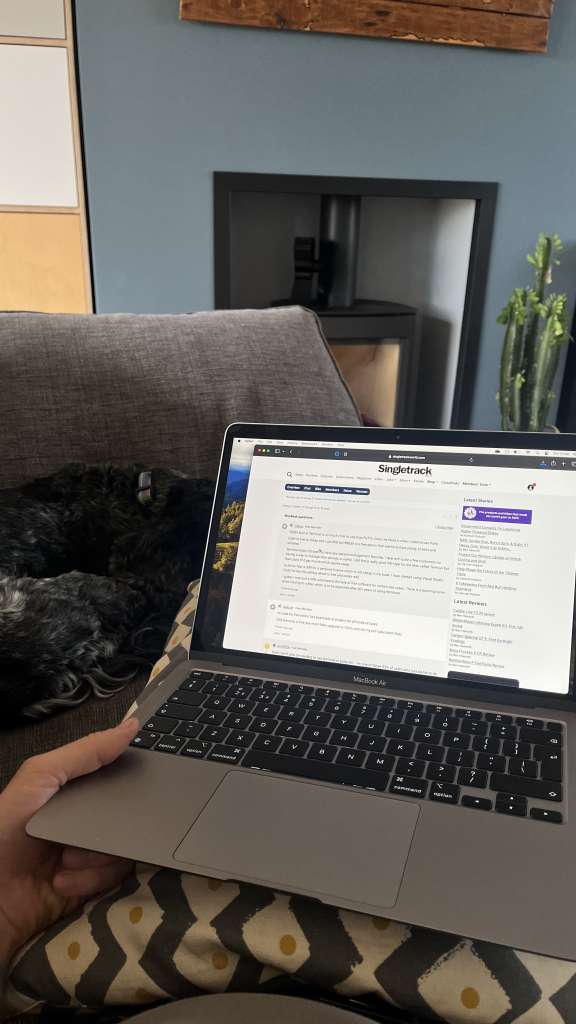
Rather than start a new thread now that I’ve been happily using it for a couple of weeks…
Is there a cheap / free app that I can print a set of photos on a single page with specific dimensions and spacing between?
e.g. I want to print photos 5cm square with 1cm in between each one.
I’ve found plenty of ways to print a contact sheet but they just auto size pics to fit a certain number on.
I want to print a grid of photos, each one 5cm x 5cm with a 1cm gap between each one so I can cut them up and have a border around each print.
The preview app nearly does it, I’ll check out Canva cheers.