 You don't need to be an 'investor' to invest in Singletrack: 6 days left: 95% of target - Find out more
In the old version of Windows, any open window/application would appear as a single icon on the taskbar at the bottom of the screen. In Windows 7, windows are grouped together under application icons, so if you have three spreadsheets open for example, you have click the Excel icon first, then select the window you want, which is another click.
I know it seems petty but it really impedes my work flow. Is there anyway you can force Windows to just have one icon per open window in the taskbar?
Thanks guys.
if you right click on the taskbar & go to properties, one is "never combine" - might that do you ?
(I don't really "do" computers)
Protip:
[img] 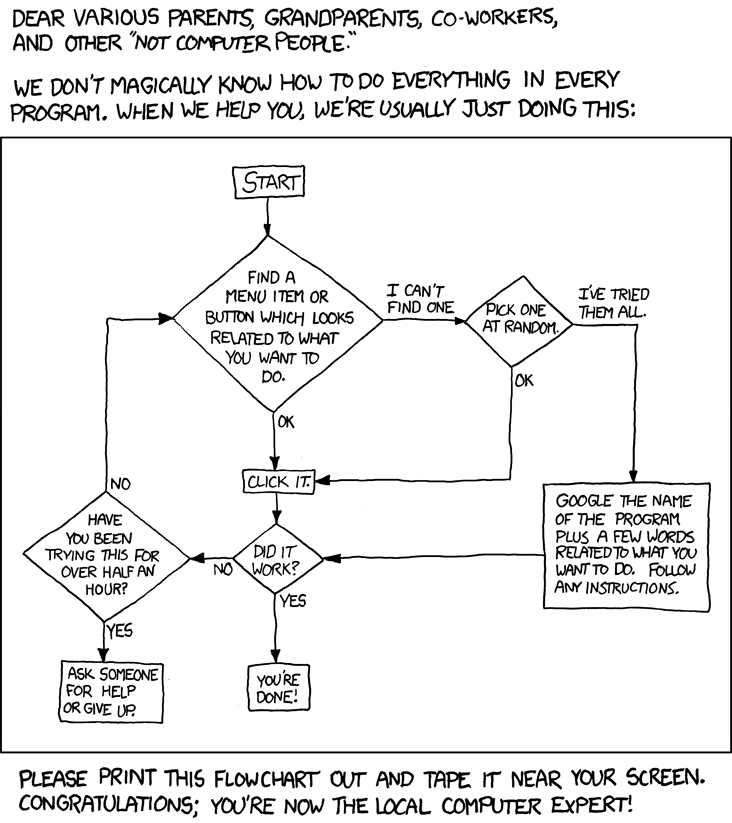 [/img]
Or just hover over the task bar item and you'll get thumbnails of all the items open. I think it's great FWIW.
I also love the Windows key+tab version of alt+tab
I often have a lot of windows open on my work computer (W7) so find this is a big help. You can change back to old single taskbar items as described above if you want to live in the last century 😉
What scaredypants said.
I found how to reduce the size of the screen icons yesterday! ctrl and scroll wheel. Such an intuitive o/s!
Retro that is brilliant!
FWIW I am usually pretty good with computers and can usually figure things out like the flow diagram says. Just had a brain fart with this one although the solution was remarkably simples.
The combining thing is fine but slower to access, i.e. you need two clicks + some thinking time to figure out what you want to access. I know that sounds petty but when your mind works as fast as mine, even a millisecond delay is frustrating 😉
Thanks
I know it seems petty but it really impedes my work flow
Eh?
Switch windows with alt-tab - still works the same as always. Your mind ain't workign that fast if you still use the mouse for stuff like that 😉
Look it's just the way I like to work 😡 Thanks for the help but I think we can all move on now as this is really impeding my work flow 😉
p.s. I know you're only kidding around.
[i]Switch windows with alt-tab - still works the same as always. Your mind ain't workign that fast if you still use the mouse for stuff like that[/i]
I use the mouse as one click does the same function as holding alt-tab.
You can press Windows key + the number keys to switch directly to applications too ... saves alt-tabbing through 20 applications to get to the right one.
And if you pin icons to the taskbar their position doesn't change so it's a bit simpler 🙂
I use the mouse as one click does the same function as holding alt-tab.
So reach for the mouse, move the pointer, click.. that's slower than alt-tab.
this is really impeding my work flow
STW in general impedes my workflow significantly. Maybe I should raise it as a project risk.
[i]So reach for the mouse, move the pointer, click.. that's slower than alt-tab.[/i]
My hand is often on the mouse. 🙄
And when it's not?
It's not a huge effort it to move my hand 6"
He's right. I do it often
More of an effort than to move it 2". Alt-tab is quicker. That doesn't make out that it's a major effort either way, does it?
Or are you being a deek for the hell of it? 🙂
No I just happen to mention that my mouse has a button that has the alt-tab function. Then some nob decided to it was good to have a dig at that.
today, is my first day on windows (and it's 7) finding it okay, eventually found the alt-tab.... getting around it, seems okay so far
[edit, I should say, on windows after a very long time on apple, last one was 98]