 You don't need to be an 'investor' to invest in Singletrack: 6 days left: 95% of target - Find out more
One for the camera experts - as I am definitely not one.
I want to try and take some pictures at night, to show exactly what the human eye would be seeing. So without any night modes etc. This would be on a 'proper' digital camera, but also helpful if possible on an iphone.
How do I do it?
To do it “properly” you need a fast lens (f1.4) and a large sensor (APS-C as a minimum, preferably full frame).
This is very expensive kit. The iPhone has to use the night mode as it has a small sensor and a slower lens (f2.8, I think). The night mode uses the fast CPU / GPU / neural engines in the iPhone to do all the fancy processing to produce an image that is acceptable to most people for their use case. So the images isn’t “real” as it has had lots of processing applied, but it does capture the moment at that time.
also remember that these night modes are tuned by the developers using their eyes, so it is at least an analog of what our eyes see.
When you say 'proper' are we talking something with all the manual controls? Any more details on what it is, as the camera capabilities can change the approach somewhat.
Also, when you replicate what the human eye would see, are you referring to anything specific? I'm not sure what the night modes to that make a photo differ from what the human eye would see.
But given that brief, and using my 'walkabout' camera here is what I would do.
Brace the camera against something ideally, and set the aperture to the widest it will go (widest aperture is the smallest number). On the camera in question I would be at F2.0. Set the ISO to 1600 and set a shutter speed of 1/15th second. Then take the shot and assess.
Some reasoning behind the above. ISO is in laymans terms the sensitivity of the sensor. Higher is more sensitive, but it comes with a tradeoff of increased digital noise. Most fairly recent digital cameras are perfectly acceptable up to 1600 and many are still good up to 6400.
The shutter speed of 1/15th keeps the shutter open a bit longer to let more light into the camera. Keep it open too long and you introduce blurring which is typically associated with night time shots, but too quick and the photo will be darker than your eyes see.
Wider apertures let more light in too, which is why you go as wide as the camera allows. As you are probably seeing, the whole thing is balancing the amount of light that reaches the sensor in order to expose the scene. Once you have assessed the shot you will almost certainly need to make changes to the settings.
Too dark? Increase ISO or lower shutter speed. If there is already some motion blur you can only increase ISO but if everything still look good you can drop the shutter to 1/8 and even 1/4. Much lower than 1/4 and you are needing a tripod.
Too bright? Take the shutter up to 1/30 and if that is not enough reduce the ISO a bit.
A note about all the settings. They are linked very closely. For example if I'm at F2, ISO 1600 and 1/15th second shutter and I change my shutter to 1/30 the sensor would get less light - but if I were to change the ISO to 3200 then that would increase the sensitivity meaning the end exposure is the same.
Finally, once the scene looks like you need it to, you probably want to try a few different white balance settings to get the colour looking more like you saw. I tent to start with incandescent and go from there.
The camera which I can and have done similar on is an Olympus with a slightly smaller than aps-c sensor. The better tool for the job is my sony full frame with fast lenses but that is a considerable investment.
Iphone? Get an app like pro camera which opens up all the manual controls then all the above applies.
I would have a look at some of the new canon (or Nikon etc equivalents) mirrorless offerings combined with an f 1.4 or f 2.8 lens and this should be roughly what you want
Remember, if you're going to get into photography, invest in glass, not the body. I have lenses that are over 20 years old.
Whatever you use, shoot on a tripod.
I have a Pentax k5 dSLR.
It's old (cheap) but all the Pentax stuff fits all the Pentax stuff, so you can get very old manual f1.4 lenses for much less than the more recent f1.4 my wife's cannon takes.
The body has shake reduction instead of the lense so that also makes the older lenses easier to take a good photo with.
I have almost entirely stopped using the dSLR since having kids and just use my phone or GoPro.
£200 for the body
£40 for lense
Not sure I really understand the question. What does the human eye see in the dark? More or less nothing, so special equipment not needed 🙂
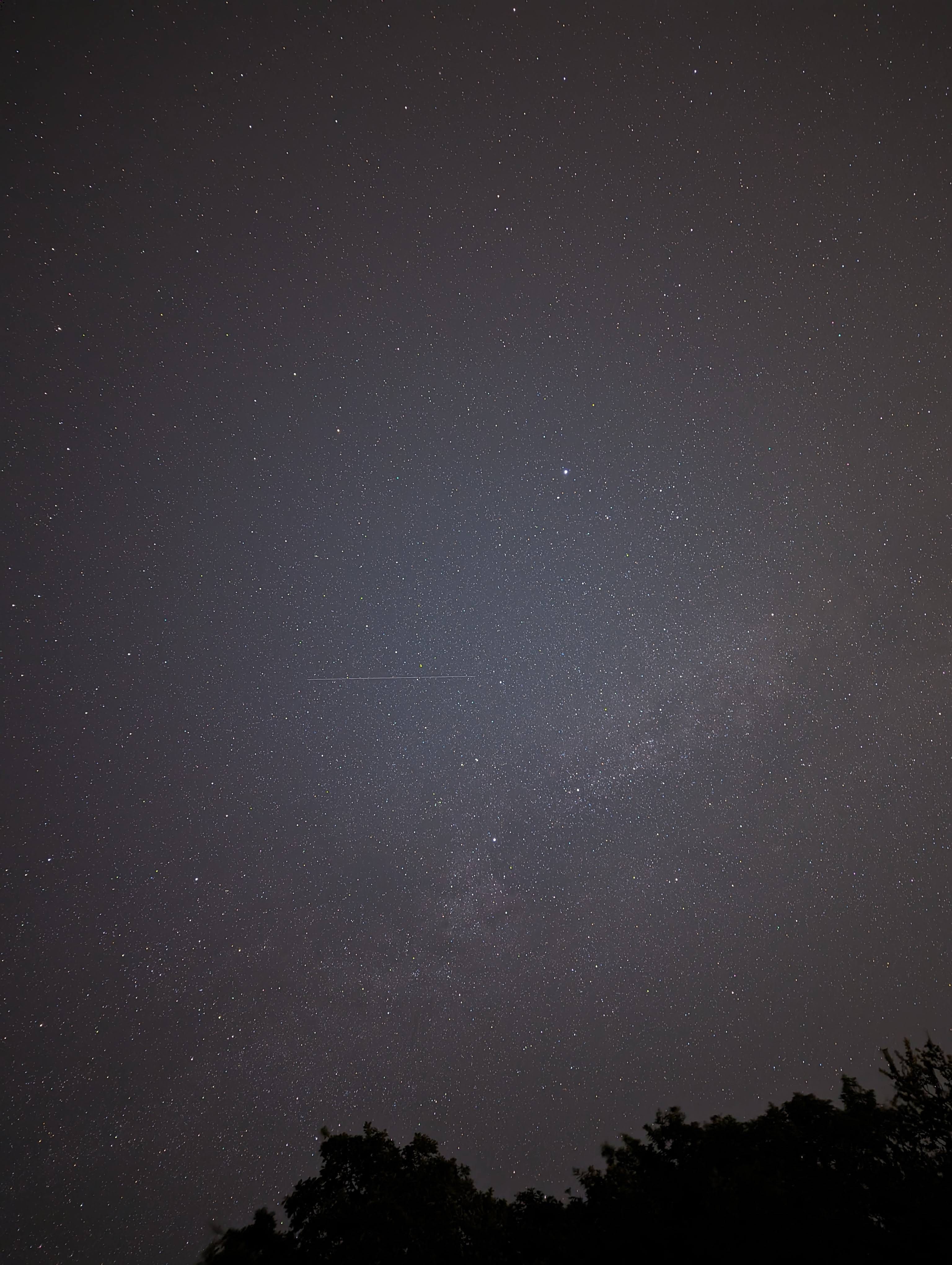
night sight/astrophotograhy on a pixel 7/8 is incredible. Change your phone 🙂
Pixel 7, mounted on a gorilla pod wrapped round a wooden fence post, taken in south wales last August:-
Everyone's assumed you're talking about the sky. Is that what you meant, or are you talking about neon street lights, cars with motion blur and the occasional owl?
Everyone’s assumed you’re talking about the sky. Is that what you meant, or are you talking about neon street lights, cars with motion blur and the occasional owl?
Not quite everyone... but yea, without knowing the intended subject it's harder to give more generic advice.
TBH I assumed the camera was already in hand but there is quite a bit of 'what to buy' advice too.
Cinestill 800 and a Hasselblad.
There isn't specific gear that does what you want. Cameras don't process light the same as a human eye and the resulting image is a combination of decisions made by you and the software. Whatever you decide to use will take practice.
Cheap starting point is a tripod with your phone or whatever camera you can find. If it can output raw files and control shutter speed manually that will help. Try out different settings, see how much light you can capture, see what you can do with the resulting image file with post processing.
I enjoy having an interchangeable lens camera and you don't need to spend a fortune to get something usable handheld in well lit areas if that's what you want. People above have covered the various lens and tech options that can help. Chasing the absolute best low light performance will get expensive. For night skies or anything outside of towns and cities you'll want a tripod anyway.
A camera works in a very different way from your eye so while it can replicate an image in good light to be similar to what your eye sees it isn't the same, i.e. it takes fixed exposure, has more limited dynamic range, cannot use brain to filter out etc,. etc,. At night that is only more different as typically ISO (gain) will increase, shadow detail versus any brighter spots will be very different than you see with the human eye/brain
If you really want to make an image look the same as you are seeing you will need to do a lot of post processing while actually looking at the real life view and matching as well as you can.
Curious question. It Needs a lot more context for us to advise.
main thing that happens with human night vision is Rods take over from cones at night, which are monochrome. So if you want a very dark scene to look similar to what the human eye sees, take the colour saturation right down, or go full monochrome. This is why the aurora, for example, looks more spectacular on camera than by eye.
Not quite everyone… but yea, without knowing the intended subject it’s harder to give more generic advice.
"What camera for dogging?"
All of the above really.
Camera with big pixels like the Sony A7s iii great for super sensitivity.
Couple with a fast lens and you will get good results.
Don't think any camera phone does a particularly good job with such small sensors. Even my 1" sensor based Xiaomi can't really see into the night.
I’m really confused by the opening post. A good modern camera and fast lens doesn’t show what we see at night. It can capture the scene like its day time. Presumably that’s not what you want? However with a caves we can use the controls do give a darker image a the human eye sees
When you say dark i assume you mean outside at night?
So yeah, a bit more detail.
I’m no expert at all. Don’t know my aperture to my iso…
The camera I have is a Samsung EX2F. I want to show how the human eye sees a variety of bulbs, ie the is bulb looks this bright compared to the next one in pitch black and how it lights the surrounding area.
Ok, that should be relatively simple to do if they're all in the same place. You need a tripod or stable surface and use the manual controls on the camera.
You'll want to set the white balance so it's not correcting for the colour of the bulb. You'll have to use trial and error to see what looks right but there's probably a daylight or cloudy setting.
Aperture isn't too important here, just set it to the same for all the photos. The lowest number should be fine but increase it if the background is too out of focus.
ISO should be set to the minimum unless you're trying to hand hold it, as long as you can set a long enough shutter speed it will get a cleaner image.
Shutter speed to whatever you need to once you've set the above to get the exposure looking right to you.
Quote
You’ll want to set the white balance so it’s not correcting for the colour of the bulb. You’ll have to use trial and error to see what looks right but there’s probably a daylight or cloudy setting.
quote
sorry i disagree. If your comparing fix the white balance at daylights for all bulbs
my advice
create a standard set up to show what you want. I think road.cc do this for bike lights. Worth a look to see how they do it
Fix camera to tripod
Set camera to manual
Set white balance to daylight
choose a middle an aperture like f8
Focus on scene
Get your brightest bulb.
Adjust the shutter speed until the scene is bright but not over exposed. Maybe google histograms
repeat with every other bulb keep everything else the same
top tip get a remote release or use the self timer so you don’t shake the camera
sorry i disagree. If your comparing fix the white balance at daylights for all bulbs
You are correct, I meant pick one setting and use for all bulbs. Just not sure daylight would be the right setting on all cameras.
Fair enough we agree