 You don't need to be an 'investor' to invest in Singletrack: 6 days left: 95% of target - Find out more
Hi Folks, (apologies for all MB, BT, KB etc etc abbreviations in advance!)
What would you recommend as a nice typing KB, wired or wireless, for use on my desk, that is designed for Apple (correct functions, keys etc), but not an apple one?
I'm looking at this: https://www.cherry.co.uk/cherry-kc-6000-slim-for-mac.html
It's a really important decision, as most of you will appreciated, as 80% of my work is communicated through my fingers and KB.
Most frequently, I use a 2007 vintage Apple BT keyboard. Clearly I have used it for a loooong time, and I am completely at ease with the key feel, spacing etc. Noticeably, it is actually very similar to my new 16" M1 MacBook Pro i.e. a really excellent KB.
This fella, that takes 3 AAs, what a trooper it is

It has however started to die over the last few months, only because the BT is getting progressively more flaky, and also I don't really need the BT as it's only used at my desk, so happy to stop piling through the AAs.
Borrowed from the missus her brand new Apple BT keyboard with finger ID. BT, and finger ID works perfectly, but the keyboard itself is horrifically bad. Feels almost as bad the dreaded butterfly KB on my old 2019 MB Pro. Cheap 'thin' feeling, no weight to the keys at all. Horrible.
However, I also don't want to go back to the massive travel old school style KB, like this one that I still have as a backup 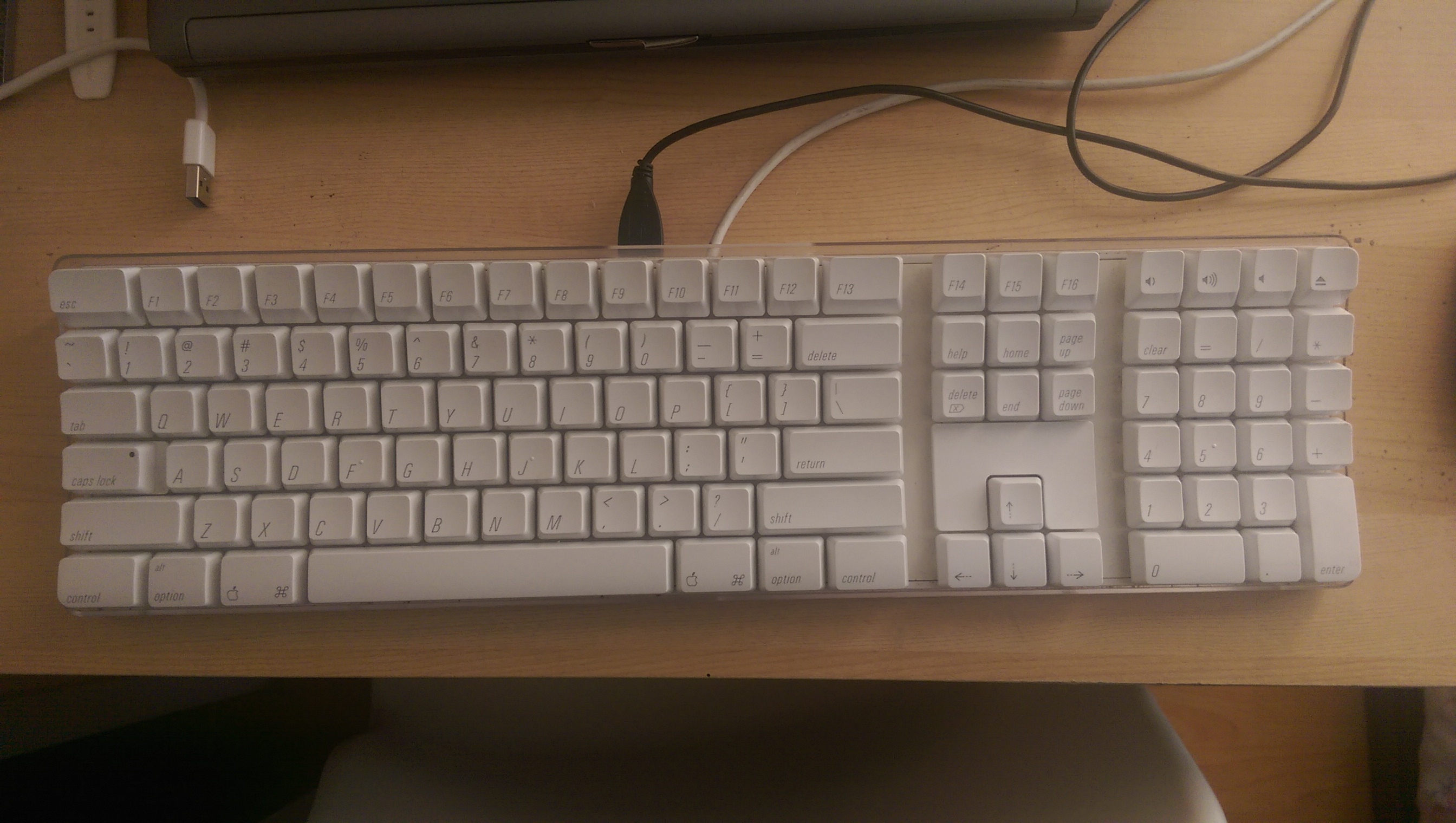
So - would the Cherry one be OK, with similar feel/spacing to my new MacBook and old 2007 keyboard, with the right keys, or is there something else you would recommend?
Many thanks!
I've been using Satechi wired ones and they're fine. A little more key travel than Apple ones...
https://www.ebay.co.uk/itm/294975218486?epid=14037168105&hash=item44ade4a336:g:zscAAOSwqRZieSs3
... they were £35 in 2020! Not now though. 🙂
Logitech have a few to go at too, but not used any of these...
https://www.logitech.com/en-gb/products/keyboards.html?filters=mac
Logitech MX Keys. Excellent and you can use across 3 devices e.g. MAC, iPhone and PC
I've recently swapped from the old wired "heavier" Apple full-size keyboard to the new one with the fingerprint scanner, I was a bit "ugh" at first but got used to it & now it's fine. I might get crucified for saying this on here but, it's just a keyboard 😃 You'll adapt.
The trade-off (for me at least) is the fingerprint scanner is [I]incredibly[/I] handy so I'd use the keyboard even if it were slightly worse (which, really, it isn't - just different).
On a slightly related note, why no FaceID for Macs?!
Just grab one of these old ones off ebay for about £20?
https://www.ebay.co.uk/p/22031187632?iid=295021541774
^^^ that's what I had previously, excellent keyboard if you don't mind wired (no hassles with running out of battery/charge!)
Another vote for MX Keys here. Can require a key press to wake it before entering the login details.
if you want mechanical, the razer pro type is a really nice wireless option
Beautiful - thanks all!
Logitech MX keys looks indeed a great option, however had not even considered an older wired Apple KB with the key feel of my favourite. So, have gone for an A1243 from eBay and will see how we get on. if it doesn't work out, MX Keys for Max will be the next one.
Many thanks!
Get a proper mechanical keyboard. There aren’t that many for Mac layout. I settled on
https://www.keyboardco.com/keyboard/uk-va88mac-pbt-backlit-tactile-mac-keyboard.asp
You can order in custom colours directly from varmilo in china for a similar price if you don’t mind waiting. Top quality switches and super solid plastics. Feels like it will last a lifetime and it’s lovely to type on.
Edit - I see you’ve specificity said you don’t want a long travel mechanical keyboard. Initially read the post as saying the opposite