 You don't need to be an 'investor' to invest in Singletrack: 6 days left: 95% of target - Find out more

Clicking that will also give you the old overview type look, until the small quirks are fixed.
Is there a timeline that estimates roughly when this abomination will manage to not be ten times worse than the clunky old version?
At least I'm not wasting as much of my day on here lately 😘

Ooh, that posted immediately - has something changed??
Video advert in bottom right of screen are back (subscriber). Weren't there about an hour ago so is a very recent thing.
Back for me too (subscriber)
Just adding to this. It is particularly annoying when listening to say a podcast on your phone whilst viewing the forum - because the video stops the podcast (iPhone)
testing the speed
I can't view the whole forum. I can look at chat or bike, but I can't go menu-forum and see it all.
You can, but it's subtle. Works on a mobile browser too, (well Chrome at least). Towards the bottom of the page, a little below the reply box...
Or you can click "Latest" here:
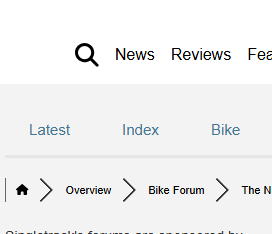
Or here:

Or you can click "Latest" here:
Or here:
At the top of the page though innit, one of them behind a second hamburger menu. Annoying to have to keep scrolling back to the top after reaching the bottom. Nobody got no time for unnecessary clicks!
Makes me wonder how other people browse as I seem to be the only one who ever whinges about this simple navigation feature that we have and works very nicely, and then we seem to lose with every bigger update. Puzzling.
Also, tapping 'Forum' in the original hamburger menu, the bigger one at the top, used to take you to forum overview. Now it takes you to a list of the different forum sections. Could it not just take you to overview as before?
Now, you've to tap into the additional, smaller hamburger menu below the other hamburger menu and tap LATEST which seemingly is the new Overview.
🤔
And people wonder why IT is well paid.
Can you imagine doing a deployment for a bank?
IT is a cruel mistress indeed
It can be well paid. I'm kinda lucky that I've done my time on the coal face of big deployments (mostly in banking and other financial institutions) so yes, I can imagine what it like doing a deployment for a bank. Luckily/sensibly all that stuff can be tested as much as possible beforehand and you make sure that you are able to roll back quickly etc if your deployment turns into a clusterfk so you reduce the impact on your users. Unlike this one.
Personally I'm using the forum a lot less. Sorry to say that but it's due to the issues lately.
This probably isn't good for STW towers if it's a wider problem.
Me too - first time I've been on in days to see if its still knackered...
Me too - first time I've been on in days to see if its still knackered...
+1 here
There's a point when you have to seriously consider rolling back rather than fixing forward for the good of your business.
The posting every 15 minutes isn't working for me I'm afraid. It's still in the hours.
I have to say I'm really struggling with the new site, I know there are some good people working hard on it, but its borderline unusable for me at the moment.
I can't find the how to post photos in the new forum info
Can someone please post a link to it?
Image uploads is a full member feature. You can embed images from a third party host tho.
Image uploads is a full member feature. You can embed images from a third party host tho.
The embed image icon appears to be missing from the toolbar. Is it clever enough to recognise when a plain url is an image & embed that?

Hurrah ! I needed to use the insert link
Hi all, the only way I have been able to change from dark to light theme on the Forum is in my phone settings, which means every app also goes to light as well. Is there anything I can do that’s less apocalyptic? I view the forum on Chrome, on iPhone 15.
Hi all, the only way I have been able to change from dark to light theme on the Forum is in my phone settings, which means every app also goes to light as well. Is there anything I can do that’s less apocalyptic? I view the forum on Chrome, on iPhone 15.
Aside from "why would you want to?" it looks like the option's been removed so I'm guessing it's just following system settings now. I've let Mark know.
Mark's response is that overriding the browser's settings causes issues.
The floating video ad unit is back temporarily. The ad tech support people need to see it live so they can tell me how to make it go away for logged in full members. Apologies. It's a very valuable ad for us but obviously it's not something that should be visible to full members.
Mark's response is that overriding the browser's settings causes issues
I’m not overriding the browser’s settings causes issues, in fact I can’t find a way to do that. I’m having to use the phone settings.
Yes, the dark and light option was removed as it was causing problems. It’s now defaulted to your browser preferences.
Can anyone find the "last thing you made" thread? For the life of me I can't find it via any search I've tried. Has it been deleted?
Can anyone find the "last thing you made" thread? For the life of me I can't find it via any search I've tried. Has it been deleted?
I expect that it's in the migration queue and will re-appear at some point.
Video ads appearing for me too now (full member). No video is ticked in preferences
Not sure if it’s on the other 17 pages, but as well as the lags, there’s an issue where I reply on a thread and then it’s not showing when I click on it.
for example, the deviate thread on page one, says last reply was mine 32 minutes ago (8pm), but when I click on it, the last reply is from nixie at 6.30. It’s very annoying
- I'm confused with the forum now. I can see topics are being updated, but when I enter them, despite it saying last post was a few minutes ago, it's frozen at the same point it was at several hours ago. This topic has last post as 37 minutes ago, it's 22:46 now, but there has lost I can view is from 6:31. Other topics are the same.
The update thing is strange still. Just replied to a topic - voyagers pale blue dot... , 12 mins ago according to the headers, but that reply still not showing (on multiple browsers, logged in and not).......... Perhaps somewhere in the cosmos they can see the reply, but not here..... 🤔
Well this is all a bit rubbish to put it politely.
And on the chat , the feed isn't reordering based on most recent reply, the pale blue dot thread is way down despite having more recent responses.......
Aye, I made a post last night. Still not appearing even in the 'latest' post bit. Will this one appear?
Oddly, it did! Makes no sense. Why here and not there?
Totally different result logged in Vs logged out regarding last posts being visible.
Still lots of similar text and background colours making it not hugely easy to read.
Will the new forum get purged of all the duplicate posts?
DNS has stopped working for site when I'm on WiFi. If I connect via 4g/5g it's ok.
Well, ok in a relatively loose sense of the term.
I don't seem able to embed images in posts from OneDrive. OneDrive generates an embed code, rather than a direct link to an image file. It would work in the old forum using the Insert Image tool but there isn't one in the toolbar (at least not the one I'm seeing).
If I simply insert the code as provided the forum just displays it as a link. It's clickable and will take you to the image, but it's not ideal.
Could we reinstate the Image tool?
Sorry if it's been mentioned already, but 'pinned' threads don't actually appear to be pinned, at least in the 'latest' overview, in the sense that they are not sitting at the top of the list.
Super Sticky threads is what we are talking about there. Out of the box the WPforo software doesn’t have them as an option we can pin to individual forums but not the latest posts list. However we have the ability to fix that and we will.
Here are the things we have outstanding to get done before we embark on that level of customisation.
Cache bug (delaying post visibility after posting)
historical forum import (we have paused at 4 years-ish)
deletion of all data from old forum to clean up and improve performance for everyone, especially those with an active engagement record (you know who you are)
THEN. We get to make all the tweaks and adjustments to get this forum looking and working how you really want.
Each day we are making steps forward.
All my posts seem to need moderated permission?
Good work Mark. Quite an uphill task so far.
Question if I may: is there no way to add an image directly? (Via a link is it)
In the earlier system members were able to click an image icon (I don’t see one) then select from their photo library. Am I missing something? Thx
My post only too 30 secs of progress bar then appeared immediately. Chapeau
seems to have been a complex fix
Good work Mark. Quite an uphill task so far.
Question if I may: is there no way to add an image directly? (Via a link is it)In the earlier system members were able to click an image icon (I don’t see one) then select from their photo library. Am I missing something? Thx
You should have the words My Media, in blue text, below the reply box. Click on that to add images directly from your phone/PC.
You should have the words My Media, in blue text, below the reply box. Click on that to add images directly from your phone/PC.
I've tried every combination of the 'add file' & 'insert into post'buttons, but not managing to post photos.
What is the sequence?

Whatever you did there clearly worked
What is the sequence to add photos?
Basically it's to use the blue Add Files... button below the Reply box to 'preselect' the image you want, then hit the green Insert Into Post button at the relevant point, to confirm you meant that photo(s)
Mark. “Ny Media” thanks. I’m not getting this error any longer either, see pic.
Good work.
(Image said “attached”. Hope it works)
And is/will there be a an embed image tool for image links like there was in the old forum?
I'd have a play with the Link tool but with posts taken hours to show there's no chance of editing.
[img] [/img]
My photo had to become an attachment but seems. Even an iPhone screenshot might be too large
I click my media then insert into post and am told to select files using right checkbox.
so I click add files
my image is listed but the checkbox is as shown in this pic. A while later the NO I on disappears and I can add a checkmark. (A tick).
Looks like we are not allowed to link to images anymore. Shame.
Might have to look at PinkBike or EMBT Forums from now on 🙁
The forum is horible to look at and use :-(. Time to say goodbye for while. ;-(
Including an image
[img]  [/img]
Resizing the image
[img=100x50] [/img]
Making the image clickable (in this case linking to the original image)
[url= https://www.bbcode.org/images/lubeck_small.jp g" target="_blank"> https://www.bbcode.org/images/lubeck_small.jp g"/> [/img][/url]
Resizing and adding meta information for the image
[img width="100" height="50" alt="Lubeck city gate" title="This is one
of the medieval city gates of
Lubeck"] [/img]
Takes a while for a post with an image attached or embedded innate text to appear. Cacheing rears its head again I guess.
I’m seeing at the top that my latest post was 17 minutes ago but hasn’t appeared. Looks like adding images slows the process perhaps.
are we back to the 8hr posting delay again?
Didn’t seem like it?
I've mentioned this before, but it might be relevant to tracking down a fix, but we seem to be seeing different things. I've seen quotes from posts that haven't appeared for me and have also been tagged as a result of posts I've made that haven't appeared and won't for several hours (nor has the responding post that I've been tagged in). Eventually after a few hours everything thing seems to catch up with itself, but clearly different users are seeing different posts at any given point in time.
Might it be related to user groups - Visitor, Free Member & Full Member? I certainly see a different selection of posts if I log out and view as a Visitor, than I do logged in as a Free Member.
Not sure if covered elsewhere or if forum specific related. But in my user profile it keeps showing I have 4 notifications. But under the notification “tab” it does not show any.
Image embedding seems a bit of a mess. You can simply type in an image URL and the forum will embed it, but it has to be a direct link to the image.
I can't find a way to embed images whose URL aren't direct, such as my pictures on OneDrive (which would embed happily on the old forum using its Image tool from the toolbar. Maybe there's a plugin to be added/activated later.
For example:
https://1drv.ms/i/c/6adcda47576a022a/UQQqAmpXR9rcIIBqgUMAAAAAABvsh19F7BIGIgg?width=1500&height=1125
Sorry, should have added to the above post, which hasn't shown so I can't edit it, that I couldn't even embed the OneDrive image using html tags in the code editor.
Aha success, of a sort!
There are actually 2 code tools - <> and {;}
The {;} tool seems to show you the html for your post. I don't know html but I've managed to insert my troublesome image using an img tag directly into the post!
Any news on fixing the "Topics Replied To" section of the user profile page?
Would soooo much like that to be fixed.
Takes a while for a post with an image attached or embedded innate text to appear. Cacheing rears its head again I guess.
That would explain why my Mini thread is showing as having a new post but the update not actually showing!
It worked 🙂 Only took a coupl of hours to post an image link 🙂 Quite quick 🙂
The posting lag appears to have been fixed (or I got lucky).
18 pages of multiple people reporting the same six problems over and over with "I don't know if this has been mentioned before but..." is still ongoing. Guys, you don't have to read everything but read the last couple at least.
It’s a bit meh for me. Sorry.
The comments below review articles - and presumably other articles - seem to have been uncoupled from the forum and older comments no longer appear under articles.
I added a comment under the Thunder Pant review, but I commented on the same article several weeks back and afaics that comment along with others has disappeared - or presumably is floating around somewhere in the forum, but no longer stitched to the article.
I suspect this is a relatively low priority, but it makes logical sense for the comments and the forum to share common ground to help awareness of the article.
18 pages of multiple people reporting the same six problems over and over with "I don't know if this has been mentioned before but..." is still ongoing. Guys, you don't have to read everything but read the last couple at least.
i don't know if it's been mentioned before, but those of us with other stuff to do, don't really want to spend ten minutes reading through a bunch of posts about forum glitches. People get paid to do that. It's really a mark of people's affection for this forum that they contribute to the thread rather than just walking away in frustration.
I tried to post an image twice using “my media” below the reply text box.
After the first image generated a note that it was going as an attachment (after a long wait that post text did but no attachment. )
so, click “my media” then “add files”. (Who designs an opaque UI like this!)
Select your image (I got one from my iPhone photo library) and it’ll appear as a file name eventually with a checkbox. (Wait for the checkbox, it’s not immediate, I expect image has to upload). Eventually I get “attached successfully”
after adding the tick to your listed image, click “insert into post”
that should do it I HOPE
that seems to be the procedure but although I did ALL that on my second post yesterday, which also took a long long time to appear, no image is in the post.
I’m trying the steps above again today.
its 9:01. I’m clicking “add reply” wonder how long it’ll take.
I’m a logged in paid digital member.
The posting lag appears to have been fixed (or I got lucky).
I don't know if this has been mentioned before but... in your dreams. I can confirm that it's taken I still can't see a post I made two hours ago. It's Shroedinger's forum.
I've mentioned this before, but it might be relevant to tracking down a fix, but we seem to be seeing different things. I've seen quotes from posts that haven't appeared for me and have also been tagged as a result of posts I've made that haven't appeared and won't for several hours (nor has the responding post that I've been tagged in). Eventually after a few hours everything thing seems to catch up with itself, but clearly different users are seeing different posts at any given point in time.
Might it be related to user groups - Visitor, Free Member & Full Member? I certainly see a different selection of posts if I log out and view as a Visitor, than I do logged in as a Free Member.
This is exactly the same for me, I'm also a freeloader. You can't take part in a faster-moving chat.
The other one for me is that certain links aren't active. The "Latest | Index | Bike | Chat", etc. line doesn't do anything if I hover over/around "Latest". "Index" becomes active if I hover on the line below and the links only become fully active hovering over "Bike" and beyond.
The log-in face logo isn't active for me, I have to log in at the bottom of a thread
Everything else already mentioned ^^ is still a problem. Firefox v135.0
When the thread is open, it even tells you who wrote the last post, and when… but it’s nowhere to be seen (yet).
The log-in face logo isn't active for me, I have to log in at the bottom of a thread
Aha! If I zoom the website out to 100% then it works, zoom in to 110% and above (so that I can read stuff, the quote box text is tiny) it doesn't
I wrote (a at 9:01, it was up by 10:30, maybe a little earlier)
I attempted to add an image
“so, click “my media” then “add files”. (Who designs an opaque UI like this!)
Select my image (I got one from my iPhone photo library) and it’ll appear as a file name eventually with a checkbox. (Wait for the checkbox, it’s not immediate, I expect image has to upload). Eventually I get “attached successfully”
after adding the tick to your listed image, click “insert into post” did that -posted
ok. It appeared. Eventually
but no image.
so are my steps above wrong?
Well, I make that over an hour without posts appearing. Can you let everyone know with a new sticky message when it’s down to under 5 mins? Good luck!
I've replied on a thread but it's not showing. I've done it 3 times so will probably show a load of repeat posts when the forum catches up.