 You don't need to be an 'investor' to invest in Singletrack: 6 days left: 95% of target - Find out more
On the caching issues you are seeing - I was seeing lots of issues on mobile (Android), tried clearing cookies last night, and noticed I had 1.1GB (yes, GB) of cookies for this site. Cleared it, logged in again, and very soon had 700MB of cookies again, I could see the count of cookies increasing as the size went up.
(logged in from PC here, sorry, can't post on the caching thread above)
Thanks George I may try that.
I've had to give up using Chrome browser on Android today as the forum is stuck in the same place from yesterday evening.
Moved to opening in private tab on Firefox browser and OK so far.
Tried again, same issues....
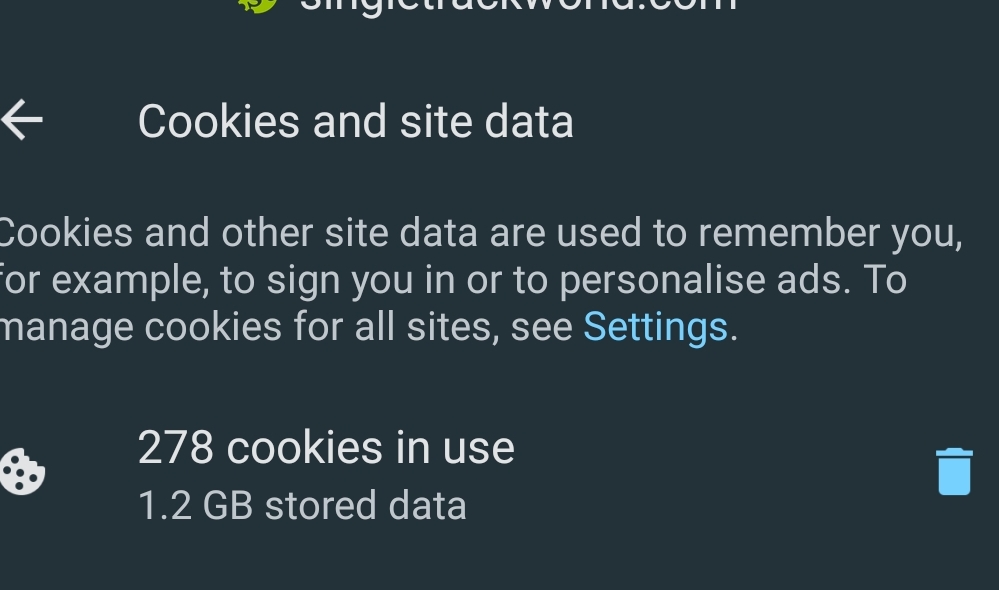
That's some Monster Cookies...
I have 118 cookies for singletrackworld using 114 mb
2.5GB here!
I have two site entries under settings > Cookies;
Singletrackworld.com - 0.91gb
HTTPS://singletrackmag.com - 7kb
The latter has the site icon next to it, if that makes any difference.
that is an inordinate amount of cookies (and ive built/developed/worked on a significant amount of websites over the last 18 years)
Weirdly it seems to be setting a cookie per page: ezCMPCookieConsent
Cleared and already back up to 317MB. I've only been in a couple of threads.
[url= https://i.postimg.cc/KjTwh1j6/Screenshot-2022-12-03-194924.pn g" target="_blank">https://i.postimg.cc/KjTwh1j6/Screenshot-2022-12-03-194924.pn g"/> [/img][/url]
I only have 48 cookies from this site. I do have quite a large cache though.

No IT expert here, but I've just looked - had ~1.5GB of cookies from STW. Deleted them.
Reopening the forum and accepting cookies immediately sucked up ~ 1.5Mb of space. Now I've logged in and am replying to this - 920Mb and 50 cookies - this is the first page I've opened after logging in. And about 200% bigger than the next biggest file...
Chrome on a PC.
Same here, chrome on a Pixel 6. 1.4GB of cookies that pretty much reload after clearing and using the site a few times. Chrome on my PC is showing as 2.7GB!
1.4 MB here on desktop now, cleared and logged back in, already back to 185MB as I type this.
I'm talking with developers at work to optimize cookies on our site for performance. Ours is about 4kB
Interesting - had 2.3gb of cookies and I cleared them all. Went to site and logged back in, set the cookies preferences to zero options allowed. Just checked and I've 589mb worth of cookies with 38 cookies in use. And that has been is from logging in.
Just revisited this page (after posting that and leaving site) - I'm now on 39 cookies and 0.93gb.
From tech. It's not likely to be cookies but page cache that is showing in your stats there. Browsers cache pages from the site in order to load pages quicker when you click links.
That said, the site cache is currently not working properly so the size of these files could be related. Tech will have a solution asap
Sorry again
Yeah, most likely part of the problem with cache. It's a lot of cookies/cache to be working with